How to keep the same font when you edit an image
A good edit is one nobody notices. These steps get the new text as close as possible to the old.
Match a fontFree to try. No install.
How it works
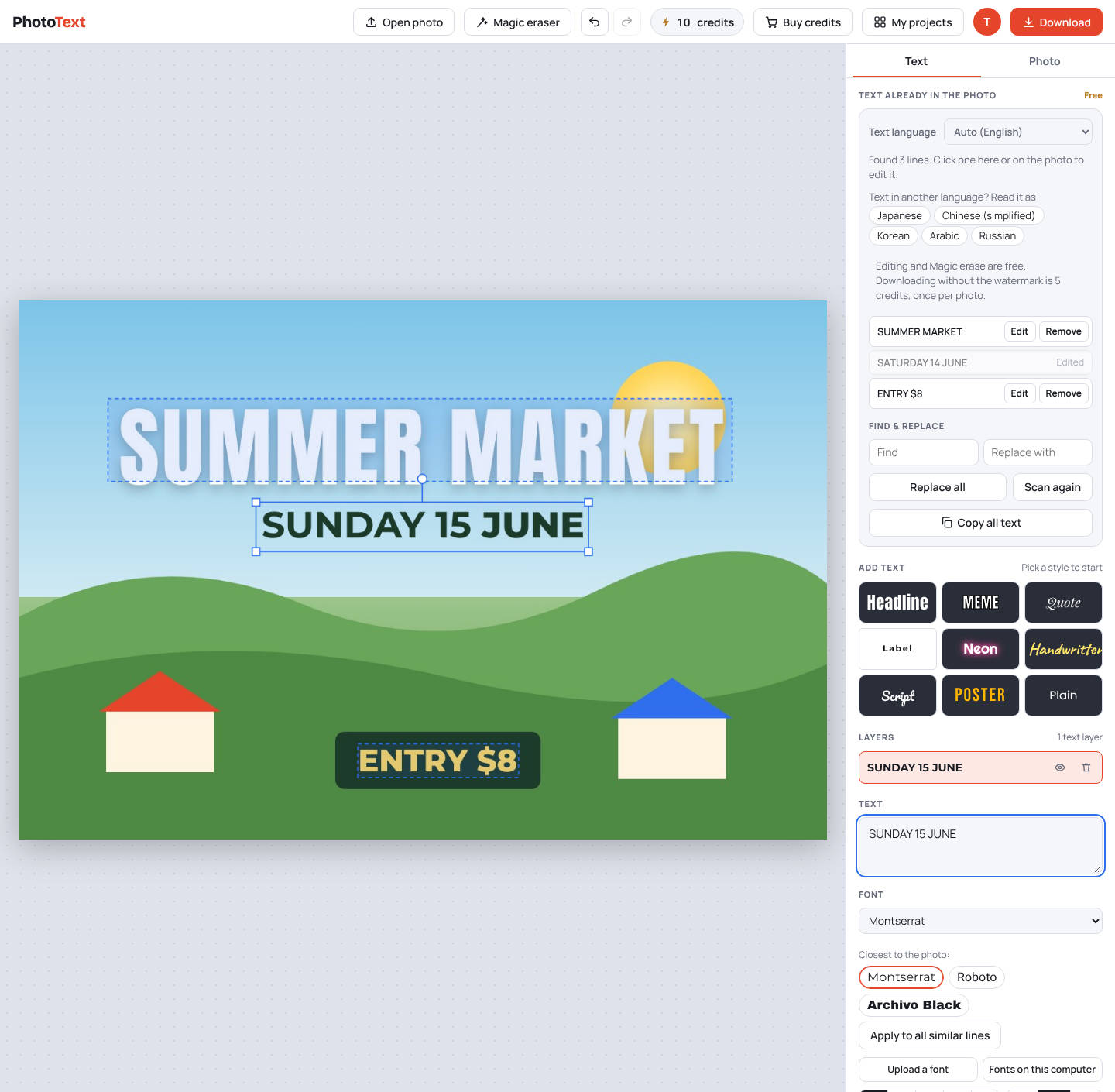
- Click the line you want to changePhotoText shows its top font guesses for that style.
- Compare the guessesLook at letters that differ most between fonts, like g, a, R and numbers.
- Upload the real font if you have itUse "Upload a font" with a TTF, OTF, WOFF or WOFF2 file.
- Match the detailsAdjust size, color, letter spacing and bold until it lines up.
- Apply to similar linesUse "Apply to all similar lines" so every matching line changes together.
What you get
- Tip: compare at 200% zoom
- Tip: one photo can mix fonts; set each style group separately
Questions
Is it free?
Editing is free. Downloads carry a faint PhotoText.com watermark; a clean download costs 5 credits per photo. Credit packs start at $5 for 80 credits, and credits never expire.