Edit the text in a chat screenshot
Fix a typo, hide a name or a number, or translate a message before you share it. PhotoText reads every bubble, and you retype it right on the picture.
Edit a screenshotFree to try. No install.
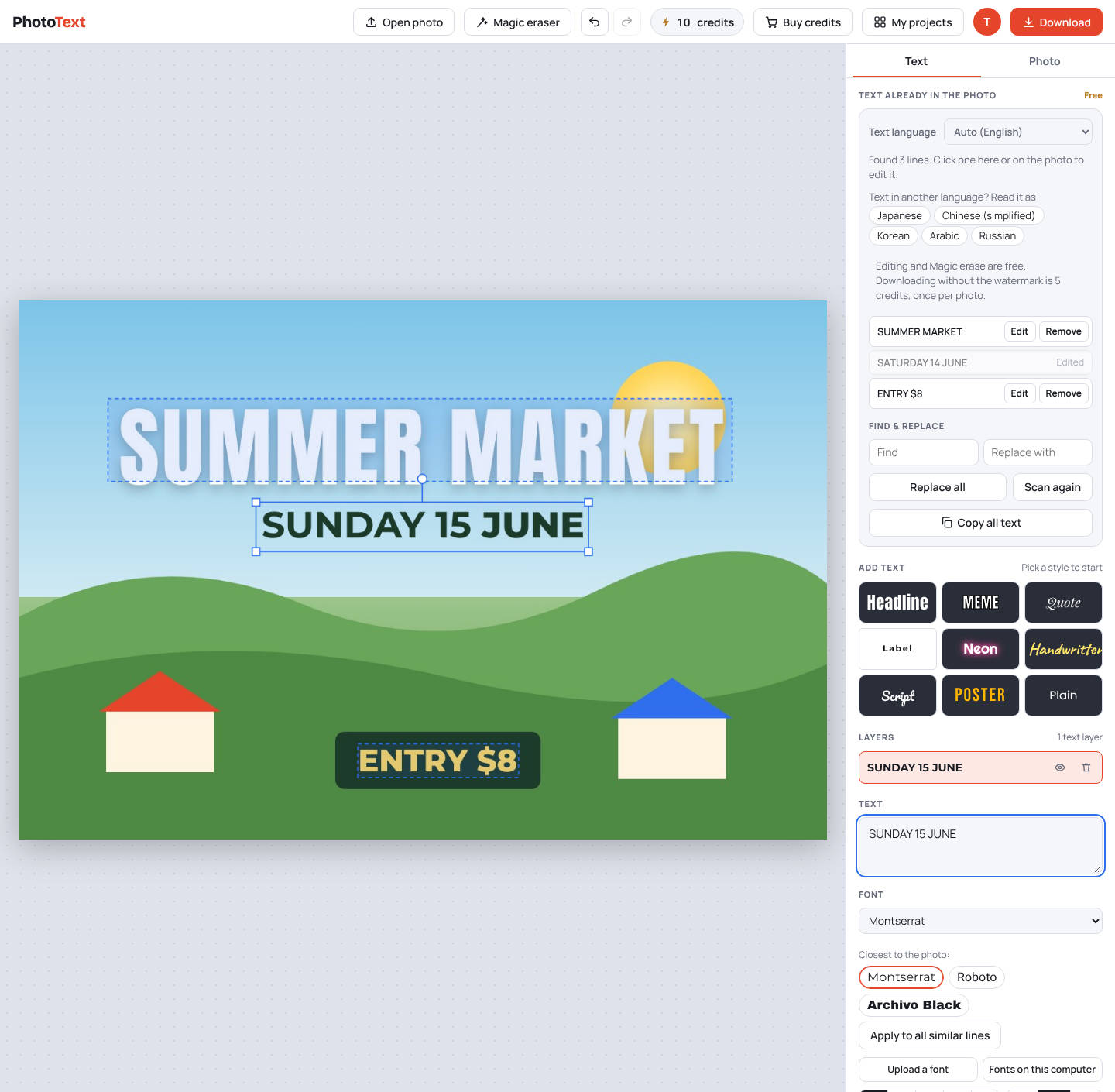
Example: change a time in a chat
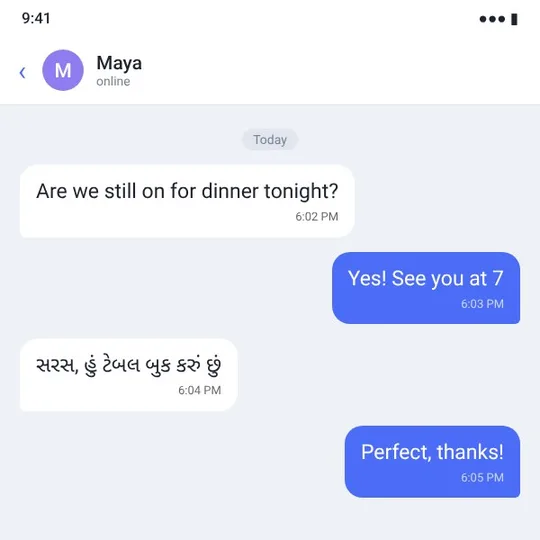
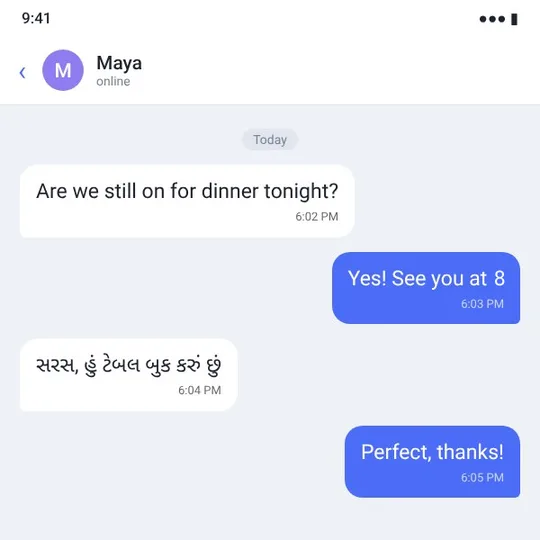
A made-up chat. "See you at 7" was changed to "See you at 8" in the PhotoText editor; the bubble and font are kept.
Try this exampleHow it works
- Open your screenshotDrop in a screenshot from any chat app. Nothing to install.
- Click a messagePhotoText finds the text in each bubble. Click one and type the new words.
- DownloadThe bubble color and the font are matched, so the edit blends in.
What you get
- Flat chat bubbles are filled cleanly, with no smudges
- Reads 22 languages, including English, Hindi, Gujarati, Arabic and Chinese
- Find & replace changes a word everywhere at once
- Remove a message or a name with Magic erase
- Works on phones and computers
Questions
Does it work with WhatsApp screenshots?
Yes. Any screenshot works, including WhatsApp, Instagram, Messenger and SMS. PhotoText reads the text from the picture itself.
Can I edit messages in Hindi or Gujarati?
Yes. Pick the language under "Text language", or leave it on Auto. PhotoText reads 22 languages, including Hindi, Gujarati, Bengali, Marathi, Tamil, Telugu and Urdu.
Is it free?
Editing is free. Downloads carry a faint PhotoText.com watermark; a clean download costs 5 credits per photo. Credit packs start at $5 for 80 credits, and credits never expire.